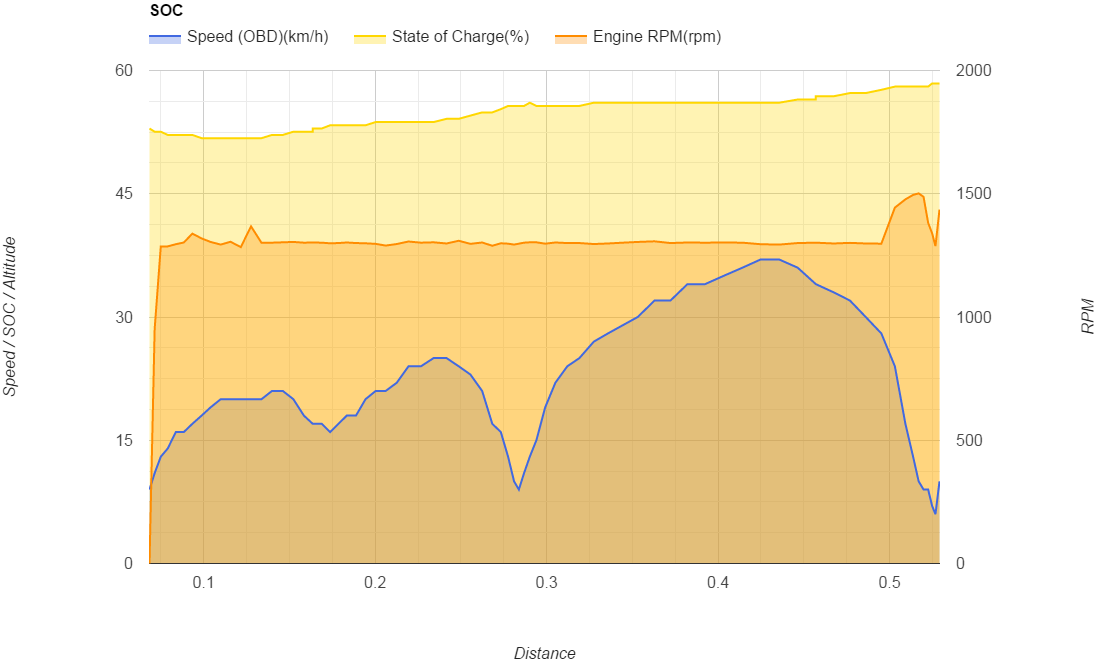
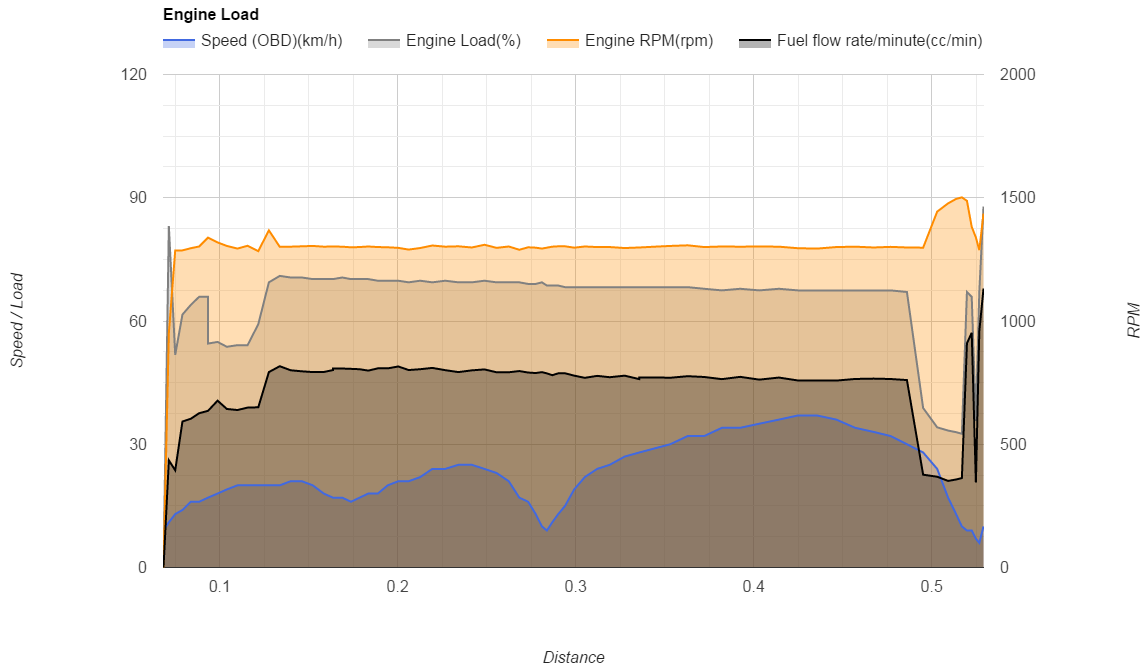
Torque Log Analyzer can be used on non-Hybrid cars also.
Here's a sample, using the RPM & Fuel Distribution chart, to map fuel consumption.
You'll need to collect RPM, FuelFlow (cc/min), and OBD Speed PIDs, which are standard PIDs, available for every car model.
As fuel consumption, at a given speed, is affected by many factor, (temperature, acceleration, slope), one single trip won't give consistent results, so collect multiple trips.
Best trips are:
1) trips on the same road, in both directions (to even out elevation differences), with similar weather conditions.
2) trips with long stretches of constant speed
3) different speeds on the same trip
4) same PIDs on all the trips, in the same order.
5) record mileage reported by the on-board computer for each trip, in L/100km.
Open the first csv log file
Select File / Import and choose the second log file
Select "Append rows to current sheet" as the import action
Repeat for all the log files.
Start Torque Log Analyzer
Select Additional Analytics / RPM & Fuel distribution
Select Option / Car: non-Hybrid
Select Option / Flow Correction Factor and set it to the value explained at this link
Click Analyze
Here is the result for a Fiat Panda 4x4 1.3Mj 75cv:
A tool for analyzing hybrid cars performances: The real fun begins when the trip is over.
Saturday, November 28, 2015
Friday, November 27, 2015
Flow Correction Factor
You may have noticed that the mileage
reported by Torque is different from the consumption measured at the
fuel station with the full-to-full method.
The Flow correction factor is applied to the Fuel Flow reported by Torque, to get results consistent with the one measured at the fuel station.
You can compute the flow correction factor following these steps:
1) Fill up fuel tank
2) Reset trip mileage and odometer.
3) Drive until a new fill up is required
4) At the new fill up write down trip distance and mileage (let's call them tdist and tmil) and the litres needed to fill up the tank. (l)
Note: mileage here is intended measured in litres/100Km
Calculate the effective mileage:
emil = (l / tdist) * 100
and then the offset from reported:
off = emil / tmil
For example, for a Fiat Panda 1.3Mj 75cv 4x4 Diesel car, I run 511 km with 27.58 litres, while the trip mileage indicator was 5.0l/100km
The effective mileage is (27.58 / 511) * 100 = 5.39 l/100km
While the offset is 5.39 / 5.0 = 1.078
So, every time the car is reporting a given mileage, the effective consumption is really 1.078 times the indicated value.
To calculate the Flow Correction Factor, you'll need a trip log on which you also recorded the mileage as indicated by the on-board computer of the car.
Now, load up a trip in Torque Log Analyzer and run an analysis with the Force Mileage option set to the mileage reported by the car from that trip (4.8 L/100km in this example)
After the Analyze run is completed, switch to the Calc sheet and get the CDB Correction value:
Repeating the procedure with several different trips and averaging the results, will give more precision.
For the example car (Panda) this resulted in 0.82120
The Flow correction factor is applied to the Fuel Flow reported by Torque, to get results consistent with the one measured at the fuel station.
You can compute the flow correction factor following these steps:
1) Fill up fuel tank
2) Reset trip mileage and odometer.
3) Drive until a new fill up is required
4) At the new fill up write down trip distance and mileage (let's call them tdist and tmil) and the litres needed to fill up the tank. (l)
Note: mileage here is intended measured in litres/100Km
emil = (l / tdist) * 100
and then the offset from reported:
off = emil / tmil
For example, for a Fiat Panda 1.3Mj 75cv 4x4 Diesel car, I run 511 km with 27.58 litres, while the trip mileage indicator was 5.0l/100km
The effective mileage is (27.58 / 511) * 100 = 5.39 l/100km
While the offset is 5.39 / 5.0 = 1.078
So, every time the car is reporting a given mileage, the effective consumption is really 1.078 times the indicated value.
To calculate the Flow Correction Factor, you'll need a trip log on which you also recorded the mileage as indicated by the on-board computer of the car.
Now, load up a trip in Torque Log Analyzer and run an analysis with the Force Mileage option set to the mileage reported by the car from that trip (4.8 L/100km in this example)
After the Analyze run is completed, switch to the Calc sheet and get the CDB Correction value:
Repeating the procedure with several different trips and averaging the results, will give more precision.
For the example car (Panda) this resulted in 0.82120
Saturday, October 10, 2015
S1b charging values
It's a common rule of thumb that, while perfoming the first cold ignition of the Yaris Hybrid, you can push up to the 2nd mark of the ECO level without draining the battery.
This seems not to be always the case.
I've observed that at a low SOC level (battery indicator at 4 bars), you can push as much as the half of the ECO zone, and still charge the battery.
Look at this chart, where S1 starts with SOC > 50%.
As soon as the Hybrid System Indicator raises over the second mark, Battery Current goes positive, thus draining power from the battery to push the car.
This is the commonly observed behavior.
So, where is this additional current coming from?
Engine RPM are the same in both cases:
Let's check Load and Fuel Flow:
Same values in both scenarios also.
This scenario has been investigated on a Hybrid Synergy Forum thread.
This seems not to be always the case.
I've observed that at a low SOC level (battery indicator at 4 bars), you can push as much as the half of the ECO zone, and still charge the battery.
Look at this chart, where S1 starts with SOC > 50%.
As soon as the Hybrid System Indicator raises over the second mark, Battery Current goes positive, thus draining power from the battery to push the car.
This is the commonly observed behavior.
Now, look at this chart, where S1 starts with SOC < 50% (4 bars on the dashboard).
Even going with the power meter at half of the ECO scale, current remains negative (flowing from the motor/generator to the battery pack).
So, where is this additional current coming from?
Engine RPM are the same in both cases:
Let's check Load and Fuel Flow:
Same values in both scenarios also.
This scenario has been investigated on a Hybrid Synergy Forum thread.
Saturday, October 3, 2015
Highway engine speed and consumption
Here is a chart of several highway trips pasted together, to have a wide number of samples.
All trips were back and forth on the same road, so altitude differences were evened out.
Values are significant after 75 km/h, when you can't have electric engine running alone, and after that, more samples lead to more consistent results.
All trips were back and forth on the same road, so altitude differences were evened out.
Values are significant after 75 km/h, when you can't have electric engine running alone, and after that, more samples lead to more consistent results.
Sunday, September 20, 2015
Hello Toyota, happy to see you here too...
It seems that some of the analysis provided by Torque Log Analyzer are relevant for non-geek also:
http://www.toyota.it/tecnologia-hybrid/testdrivedellaverita.json
Even though this has nothing to do with Torque Log Analyzer, this marketing move just seems to acknowledge that some of the questions this site tries to answer, are relevant to their (potential) customers also:
Now I'm waiting you to answer also:
But the main question is:
Why all this information is not already available on the standard car cockpit?
So, please, marketing guys from Toyota that are reading this, just pass it on to the engineering...
http://www.toyota.it/tecnologia-hybrid/testdrivedellaverita.json
Even though this has nothing to do with Torque Log Analyzer, this marketing move just seems to acknowledge that some of the questions this site tries to answer, are relevant to their (potential) customers also:
Now I'm waiting you to answer also:
- Are you braking efficiently?
- Are you using your engine at it's best?
- How to use the B gear?
- The electric engine is not used on the Highway
But the main question is:
Why all this information is not already available on the standard car cockpit?
So, please, marketing guys from Toyota that are reading this, just pass it on to the engineering...
Wednesday, August 26, 2015
Tuesday, August 25, 2015
DIY Hybrid Check
You can use Torque Log Analyzer to check your HV Battery health.
This procedure has been used to diagnose batteries with error P0A80 or “Check Hybrid System”, by identifying the faulty block.
You'll need:
- Android phone (a low-end model is fine, even without any SIM, a wi-fi connection is enough)
- Torque Pro from Google Play (the free version can't be used for this test) https://play.google.com/store/apps/details?id=org.prowl.torque
- Bluetooth OBD Adapter: http://torqueloganalyzer.blogspot.it/2015/02/obd-adapters-database.html
- Custom PID list
Yaris, Auris, Prius 3:
https://drive.google.com/file/d/0B8xG59QDgvQ3MWRGaFJpNFV1dFk/edit?pli=1
Prius 2:
https://drive.google.com/file/d/0B8xG59QDgvQ3OEl1dnBqSkxNRTg/view?pli=1
Just download the .csv file
Follow this steps:
- Install Torque on the phone
- Load the custom PID list by following this tutorial: http://torqueloganalyzer.blogspot.it/2014/01/loading-custom-pids-on-torque.html
- Configure logging as shown here: http://pleasedonttouchthescreen.blogspot.it/2013/06/torque-logging-tutorial.html
You may only log PIDs specified here: http://torqueloganalyzer.blogspot.it/2014/12/hv-battery-fitness.html - In order to collect significant data, we need to cause a battery discharge. We'll use the same method used by Toyota while performing the Hybrid Check:
- Push the brake pedal with your left foot
- Switch to gear R
- While keeping the brake pedal pressed, push the accelerator pedal to engage the electric motor. The car won't move anyway, because of the brake pedal.
- If the petrol engine kicks in, decrease pressure on the accelerator, to turn it off.
- Keep going until battery level gauge is at 2 bars and the petrol engine starts to recharge it.
- Collect log using the above steps.
- Load log into Torque Log Analyzer, as exaplained here: http://torqueloganalyzer.blogspot.it/2014/08/tutorial.html
- Select HV Battery Fitness in the Analytics section and run.
A fine battery will show uniform block behavior, as seen here:
While a faulty battery will have its blocks scattered:
Subscribe to:
Posts (Atom)